

Editing requires the Owner or Manager role. A Viewer sees a banner — “You have
view-only access to settings. Contact your company owner or manager to make changes” —
with every field disabled and no save button.
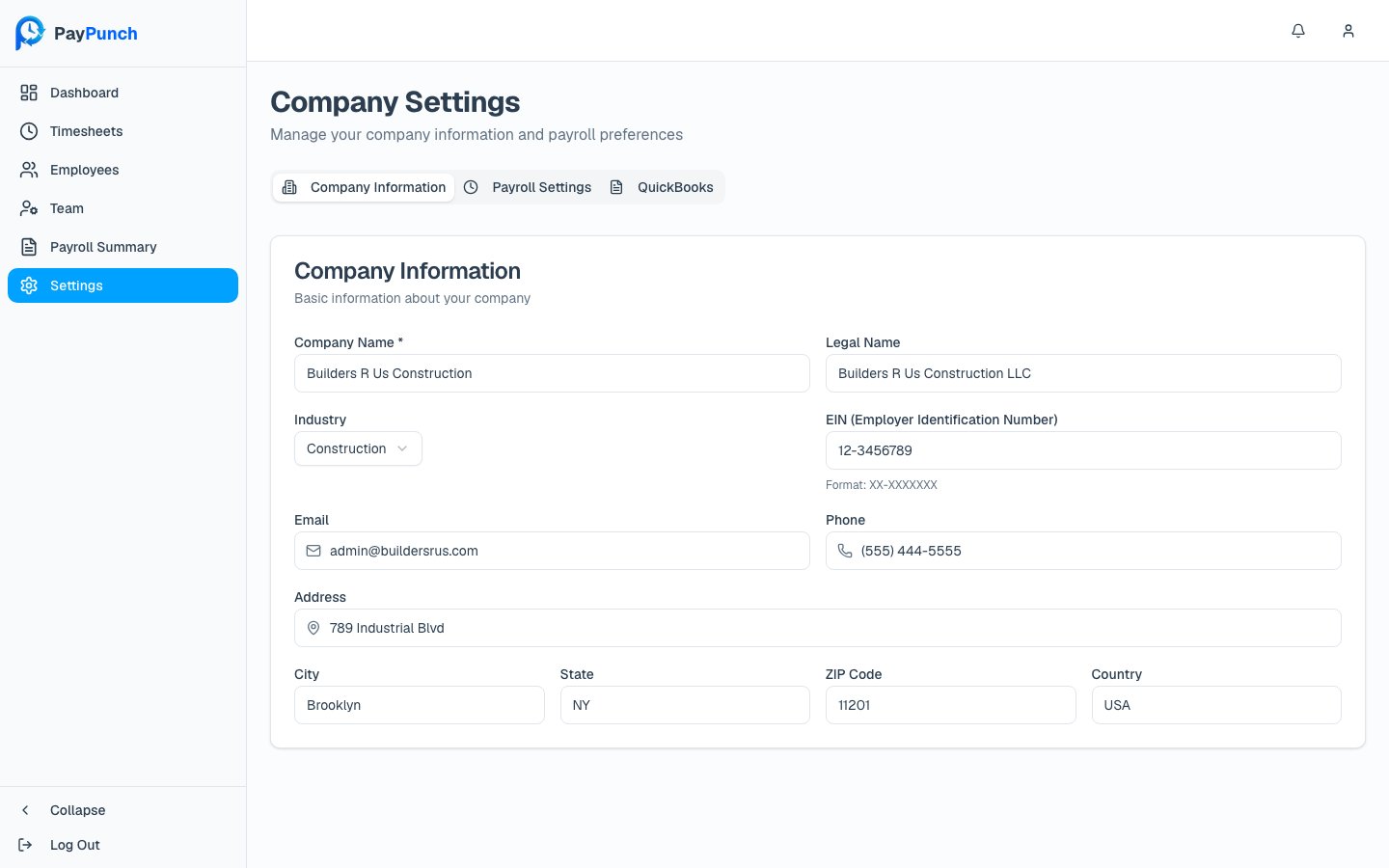
Company Information
Your company’s identity and contact details:- Company Name (required) and Legal Name
- Industry (chosen from a list)
- EIN (Employer Identification Number) — format
XX-XXXXXXX - Email and Phone
- Address, City, State, ZIP Code, and Country (defaults to USA)
Payroll Settings
This tab sets how pay is calculated and when timesheets are due.- Pay Period Configuration
- Overtime Settings
- Timesheet Submission
- Pay Period Type (required) — Weekly, Bi-Weekly, Semi-Monthly, Monthly, Manual (admin creates periods), or Contractor (no regular periods). This affects how pay periods are automatically generated.
- Default Hourly Pay Rate — the rate applied to new employees.
QuickBooks
Details used when your bookkeeper exports your payroll to QuickBooks:- QuickBooks Company File Name (e.g.
MyCompany.qbw) - QuickBooks Customer ID — your customer ID in the bookkeeper’s QuickBooks