

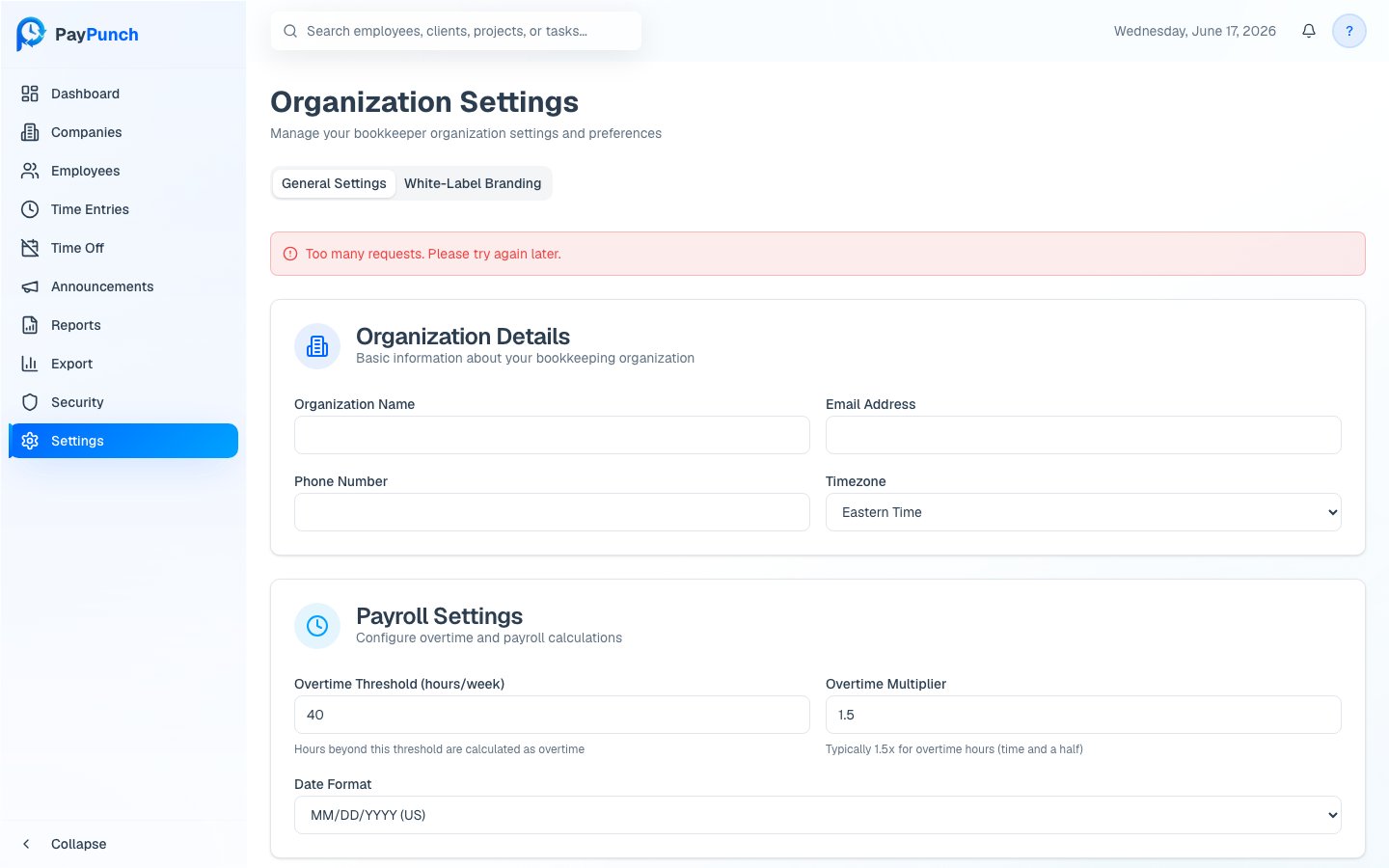
Open settings
Open Settings from the sidebar. The page has two tabs: General Settings and White-Label Branding (see Branding).Organization details
Under Organization Details, set your organization’s identity:- Organization Name (required)
- Email Address (required)
- Phone Number
- Timezone (Eastern, Central, Mountain, or Pacific Time)
Payroll settings
Under Payroll Settings, configure how hours and pay are calculated:- Overtime Threshold (hours/week) — hours beyond this in a week are treated as overtime (commonly 40).
- Overtime Multiplier — the overtime rate, typically 1.5× (time and a half).
- Date Format —
MM/DD/YYYY (US),DD/MM/YYYY (International), orYYYY-MM-DD (ISO).
1
Edit your settings
Update any field on the General Settings tab.
2
Save
Click Save Settings. You’ll see Settings saved successfully! when it’s
stored.
Where to go next
White-label branding
Customize the app’s logo, colors, and name.
Holidays
Manage your holiday calendar.