

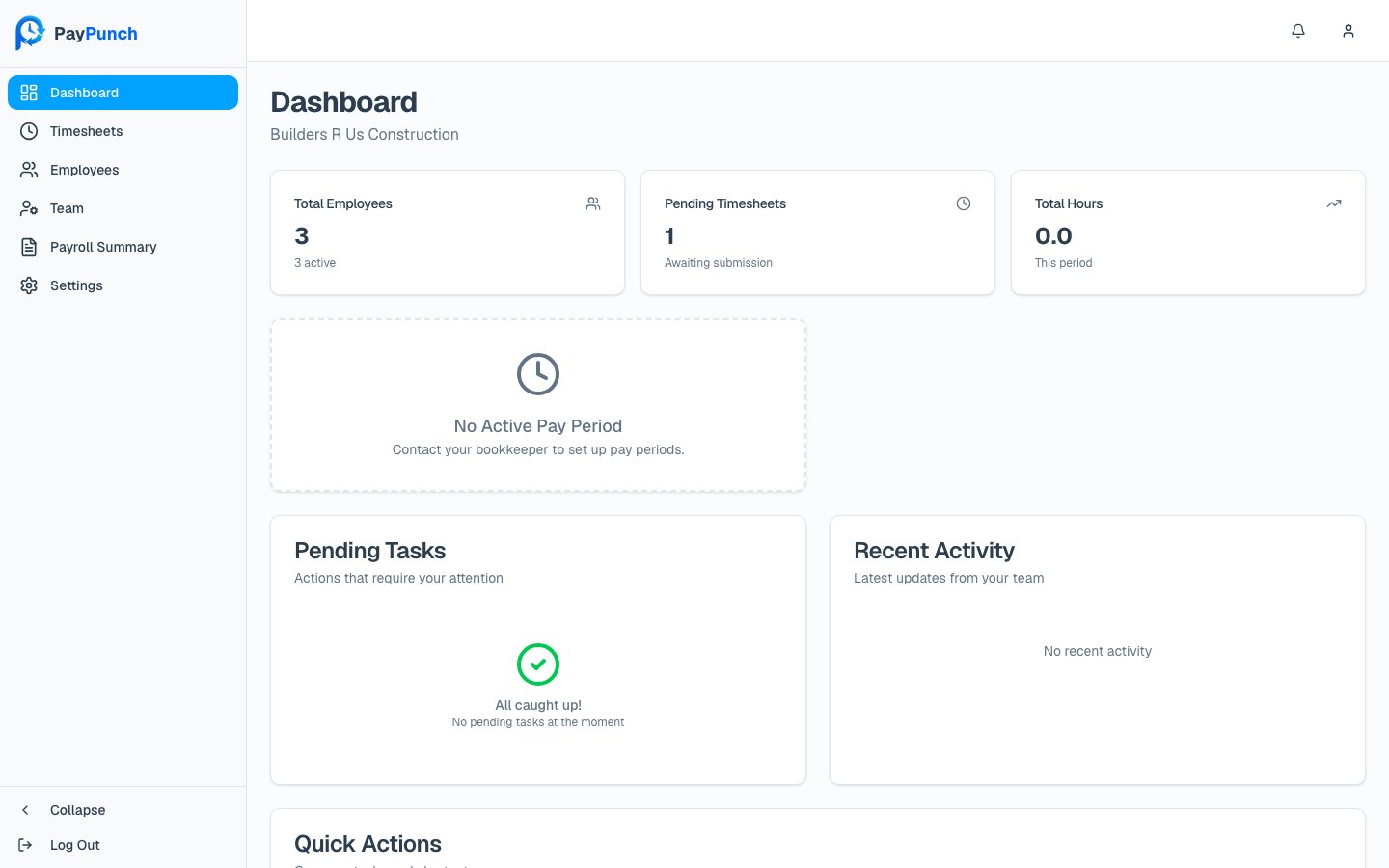
Stats at the top
Three cards summarize your company right now:Total Employees
Your headcount, with the number currently active shown underneath.
Pending Timesheets
Periods awaiting submission. A number above zero means there’s work to do.
Total Hours
Hours logged this period so far.
Submission deadline
When a deadline is approaching, a deadline warning appears showing the time remaining until timesheets are due. The deadline is calculated from your company’s pay-period settings (how many days after the period ends, and the cutoff time). If the deadline has already passed, see Submitting payroll for how to submit late.Pay period
Below the stats, you’ll see the current pay period and any upcoming pay periods, each with its date range and pay date.If you see “No Active Pay Period” with the message “Contact your bookkeeper to set
up pay periods,” your bookkeeper hasn’t opened a period yet. Reach out to them — pay
periods are created on the admin side.
Pending Tasks
The Pending Tasks card lists “Actions that require your attention” — for example, submitting timesheets for the current week or reviewing a payroll summary. Each task shows a title, a short description, and a due date, and an urgent task is flagged with an Urgent badge. Click a task to jump straight to where you complete it. When there’s nothing outstanding, the card shows “All caught up!” with “No pending tasks at the moment.”Recent Activity
The Recent Activity card shows “Latest updates from your team” — recent timesheet, employee, and payroll events with a relative timestamp (for example, “2 hours ago”). When empty it reads “No recent activity.”Quick Actions
The Quick Actions card gives you one-click shortcuts to common tasks:Review Timesheets
View and approve hours.
Manage Employees
View your employee list.
Payroll Summary
Review and approve.