> ## Documentation Index
> Fetch the complete documentation index at: https://docs.paypunch.io/llms.txt
> Use this file to discover all available pages before exploring further.
# Your Profile
> View your employment details and keep your contact and emergency info up to date.
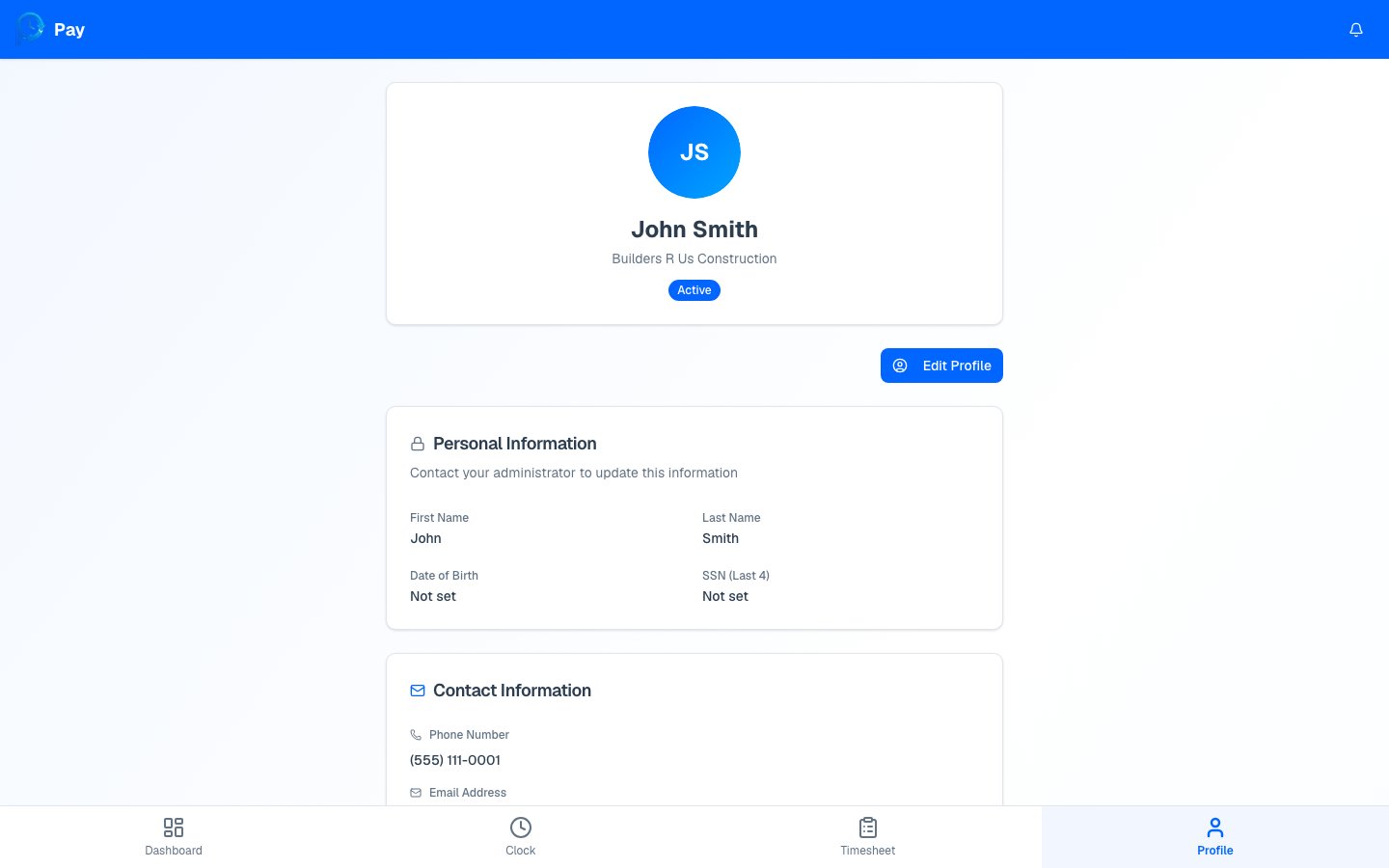
Your profile holds your personal and employment details. Some of it you can update
yourself; the rest is managed by your employer.
 ## What you can edit yourself
Tap **Edit Profile** to update these, then tap **Save Changes**:
* **Contact information** — your phone number and email address.
* **Address** — street, city, state, and ZIP.
* **Emergency contact** — name, phone, and relationship.
Keep your contact and emergency information current — it's how your employer reaches you,
and who they'd call in an emergency.
## What only your employer can change
Some details are **view-only** to protect your records. You'll see them on your profile,
but to change them you'll need to contact your manager or bookkeeper:
* **Personal info** — your first and last name, date of birth, and the last 4 digits of
your SSN.
* **Employment info** — your company, employee number, hire date, pay rate, and pay type.
* **Direct deposit** — your bank and account details.
Sections marked with a lock icon say **"Contact your administrator to update this
information."** That's expected — these fields can't be edited from your profile.
## Save or cancel
The editable fields become text boxes.
Update your contact info, address, or emergency contact.
Tap **Save Changes** to keep your edits, or **Cancel** to discard them and go back to
your saved details.
Need to fix your name, pay rate, or bank details? Don't worry that you can't edit them
here — reach out to your manager or bookkeeper and they'll update it for you.
## What you can edit yourself
Tap **Edit Profile** to update these, then tap **Save Changes**:
* **Contact information** — your phone number and email address.
* **Address** — street, city, state, and ZIP.
* **Emergency contact** — name, phone, and relationship.
Keep your contact and emergency information current — it's how your employer reaches you,
and who they'd call in an emergency.
## What only your employer can change
Some details are **view-only** to protect your records. You'll see them on your profile,
but to change them you'll need to contact your manager or bookkeeper:
* **Personal info** — your first and last name, date of birth, and the last 4 digits of
your SSN.
* **Employment info** — your company, employee number, hire date, pay rate, and pay type.
* **Direct deposit** — your bank and account details.
Sections marked with a lock icon say **"Contact your administrator to update this
information."** That's expected — these fields can't be edited from your profile.
## Save or cancel
The editable fields become text boxes.
Update your contact info, address, or emergency contact.
Tap **Save Changes** to keep your edits, or **Cancel** to discard them and go back to
your saved details.
Need to fix your name, pay rate, or bank details? Don't worry that you can't edit them
here — reach out to your manager or bookkeeper and they'll update it for you.