> ## Documentation Index
> Fetch the complete documentation index at: https://docs.paypunch.io/llms.txt
> Use this file to discover all available pages before exploring further.
# Earnings
> See your estimated pay for the current period, year-to-date, and pending hours.
Your earnings give you a running estimate of what you've made — based on your approved
hours and your pay rate — without waiting for payday.
Your earnings appear as a card on your [dashboard](/employee/overview) and as period
totals on your [timesheet](/employee/my-timesheet). They're shown only if your employer
chooses to share pay information with you.
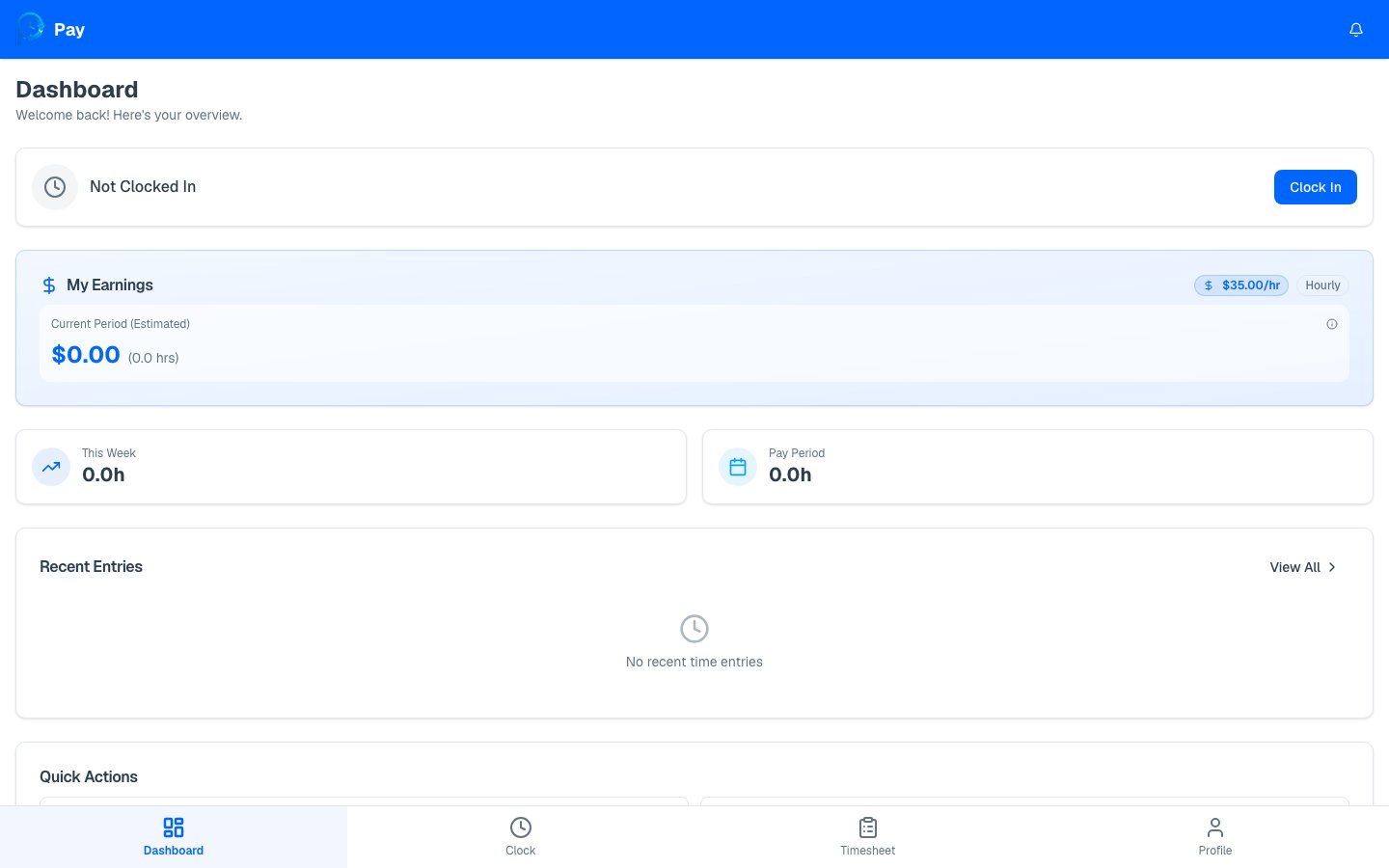 ## What the earnings view shows
* **Current pay period** — your regular pay, overtime pay, and total for the period in
progress.
* **Year-to-date (YTD)** — everything you've earned since the start of the year.
* **Pending** — hours that are still waiting for approval, with an *estimated* value if
they're approved.
* **Last pay date** — when your most recent pay period was paid.
## How earnings are calculated
PayPunch multiplies your **approved** hours by your **pay rate**:
* **Regular pay** = regular hours × your pay rate.
* **Overtime pay** = overtime hours × your pay rate × your overtime multiplier (often
1.5×, set by your employer).
Only **approved** and **exported** hours count toward your earnings and YTD totals.
**Pending** hours are shown separately as an estimate, and **rejected** hours aren't
counted at all until they're corrected and approved.
Your numbers look low? Check your [timesheet](/employee/my-timesheet) for **Pending** or
**Rejected** entries — approving (or correcting) those will update your earnings.
Get a PDF breakdown of a pay period.
## What the earnings view shows
* **Current pay period** — your regular pay, overtime pay, and total for the period in
progress.
* **Year-to-date (YTD)** — everything you've earned since the start of the year.
* **Pending** — hours that are still waiting for approval, with an *estimated* value if
they're approved.
* **Last pay date** — when your most recent pay period was paid.
## How earnings are calculated
PayPunch multiplies your **approved** hours by your **pay rate**:
* **Regular pay** = regular hours × your pay rate.
* **Overtime pay** = overtime hours × your pay rate × your overtime multiplier (often
1.5×, set by your employer).
Only **approved** and **exported** hours count toward your earnings and YTD totals.
**Pending** hours are shown separately as an estimate, and **rejected** hours aren't
counted at all until they're corrected and approved.
Your numbers look low? Check your [timesheet](/employee/my-timesheet) for **Pending** or
**Rejected** entries — approving (or correcting) those will update your earnings.
Get a PDF breakdown of a pay period.